Helping investors to see the home behind the data
Comping is the process of estimating a property's value by comparing it to similar, recently sold homes nearby. It is the single most critical step in underwriting a real estate investment. If the comps are wrong, the offer price is wrong, and the investor loses money.
Industry:
Real estate
Role:
Lead designer
Year:
2025
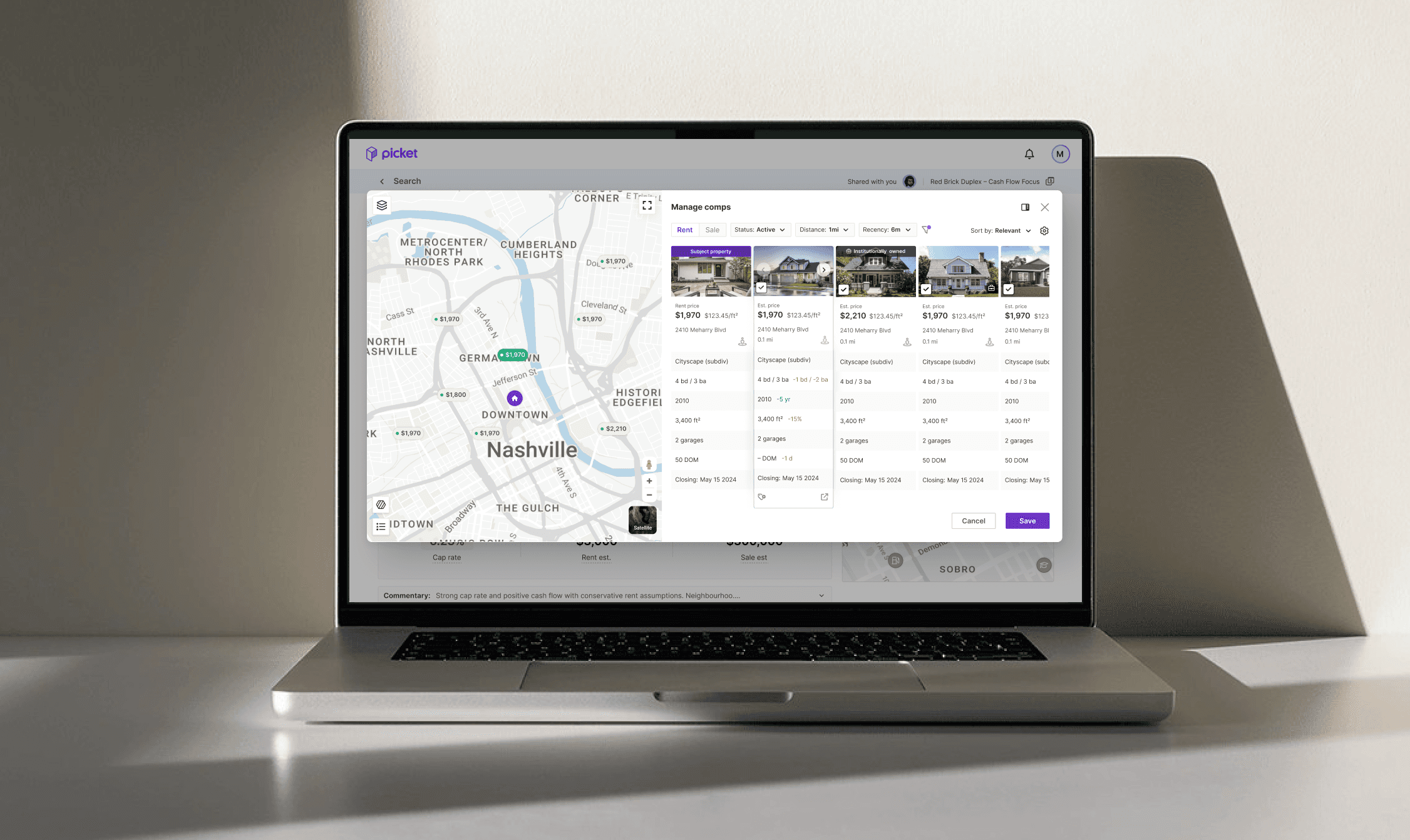

Enterprise Underwriter
We originally built for data-heavy power users who lived in spreadsheets. We assumed density equaled value.

Seasoned Investor
Our actual users weren't just crunching numbers—they were making high-stakes decisions on the go. They didn't need a spreadsheet; they needed a 'second opinion' they could trust.
Spoiler: Failed
Hypothesis 1: "God Mode"
We initially assumed that investors wanted efficiency above all else. As the first redesign we rolled out a dense "Cockpit" interface that allowed users to Comp, Underwrite, and Navigate simultaneously. User testing invalidated this immediately. Instead of feeling powerful, users felt confused.
The Map was decorative, not functional. It was too small to provide the spatial context investors rely on, forcing them to open Google Maps just to see where they were.
Vertical Friction. Users were forced to play a memory game, constantly scrolling up and down to match a pin on the map to a row in the table. This broke their cognitive flow.
This failure gave us the permission to clear the screen and stop optimizing for density.
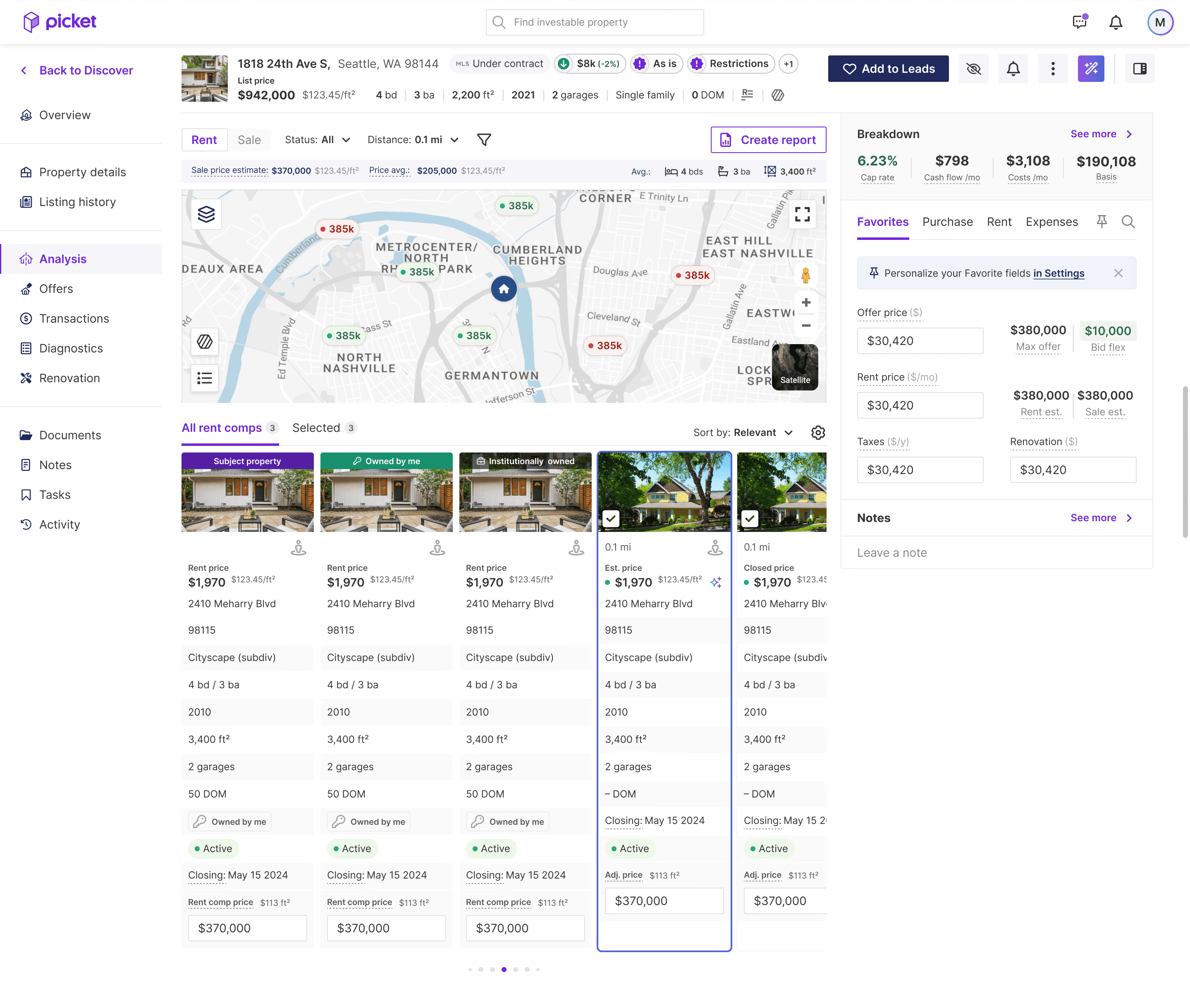
Failed iteration
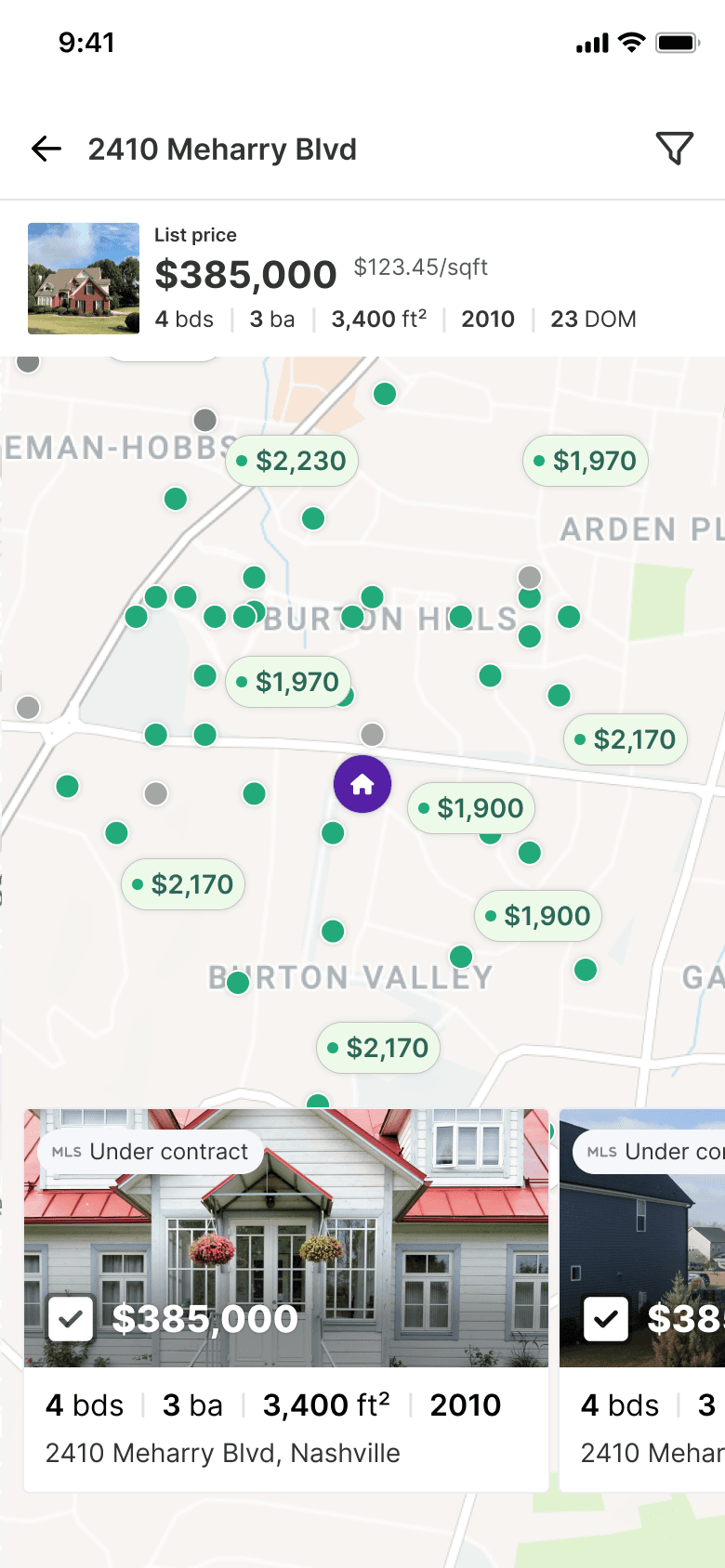
The Mobile Catalyst
Designing for mobile forced us to abandon the table entirely and adopt a vertical card.
On mobile, the property photo became the hero. When we tested this, we realized: this wasn't just a mobile fix. It directly solved the "Trust Gap" by letting investors instantly judge the property's condition.
We promoted the Mobile Card to be the primary component across all platforms. This unified the mental model and ensured that desktop users got the same rich, visual experience as mobile users.
Click exploration
Card actions
Clearing the Clutter
By hiding the calculator behind a toggle, I reclaimed 30% of the screen. This allowed us to display 4 full comp cards simultaneously, letting users scan inventory without constant scrolling. To prevent jumpiness, I separated the interaction logic:
Hovering simply highlights the relationship (bi-directional visual cue).
Clicking triggers the scroll. This gives users "location confidence" without hijacking their scroll position.
Old "numbered" pins were not communicating any information. I redesigned the markers to show Price and Status (Active/Inactive).
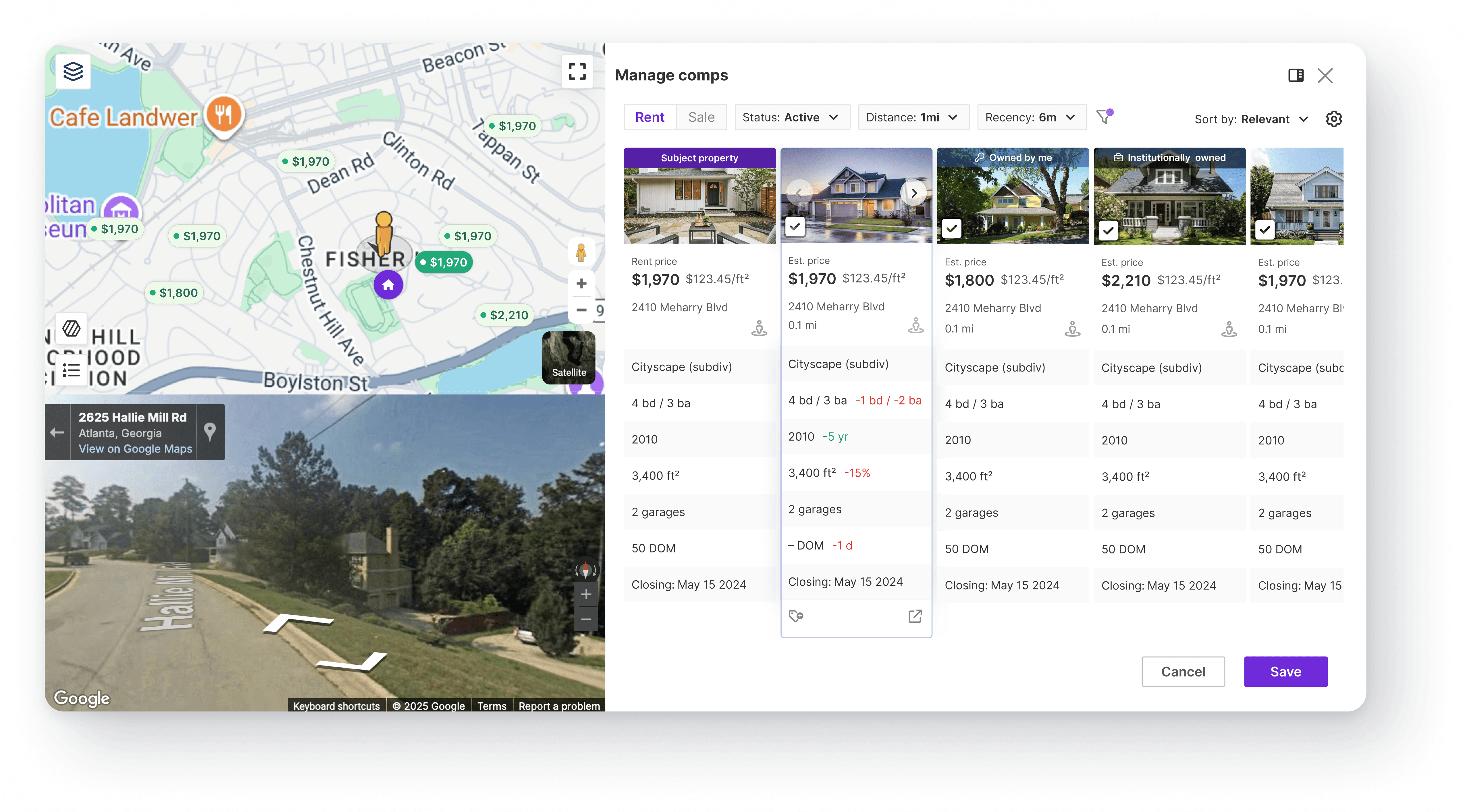
The Virtual Site Visit
Investors don't just buy a house, they buy the street. Previously, users copied the address and leave our site to "walk the block" on Google Maps. This was a massive friction point that broke their underwriting flow.
I wanted to fix the disorientation, so I implemented a Split View dedicated to each comp, that keeps the map (the anchor) visible alongside the street view (the immersion). To maintain spatial awareness, I synced the "Pegman" icon on the map to rotate as the user pans the camera. This allows investors to validate the neighborhood without ever losing track of the subject property.
The Cost of Flexibility
There is a common misconception that "more flexibility = better UX."
This project taught me the opposite:
The more choices you give a user, the higher the cognitive tax.
Our legacy tool failed because it tried to do everything at once (Comp, Underwrite, Navigate).
By forcing the user to focus only on Comping, we actually made them faster.
The hardest strategic call was hiding the underwriting calculator, a core feature, behind a toggle. It felt risky. However, our confidence came from triangulating two distinct data points: mobile forced the visual decision (we simply had no room) and user testing proved the behavioral reality. We learned that investors don't actually multitask; they work in focused bursts. Mobile forced the focus, but the users confirmed they preferred it.